

Adding and using a login Connection
You've created an enterprise connection in our system, and want to use it when creating employer
1. Configure SSO Connection with Self-Service URL
Using the self-service link provided to you by the Nayya team, create an SSO connection using any OIDC provider. We also support SAML, though it is comparatively less secure.
Note for SAML setup: Be sure to add the following attribute mappings to ensure users are created with the necessary information when they access Nayya:
- name
- nickname
If you’d like a more in-depth understanding of how this works, these docs provide a comprehensive explanation.
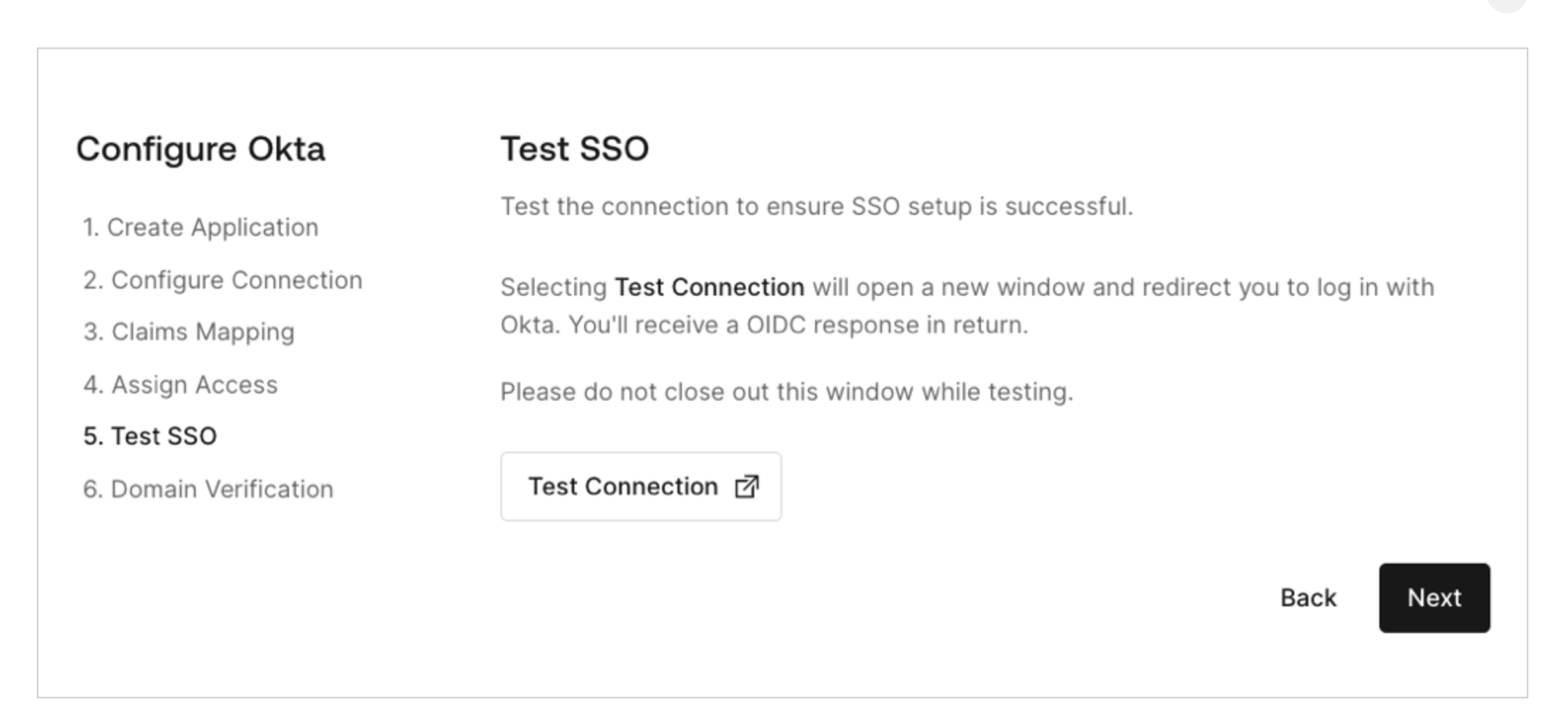
Once you’ve completed the connection setup flow, you will be prompted to test this connection on the last page. It is recommended you use this feature to ensure the connection you’ve created correctly hands off user information from your IDP to the Nayya authentication ecosystem.
2. Add the connection to your account
Using the add connection endpoint, POST the newly created connection to your account
https://integrate.{environment}.nayya.com/accounts/connections
With a body:
{
	"connections": [
    {
      "name": "my-sso-connection", (the name of the connection, provided to you with the self-service link)
			"type": "sso" (can be sso/database, depending on the kind of connection)
		}
	]
}
With a successful response, you'll see the connection added to the configuredConnections field of your account!
3a. Create employers with your new connection (optional)
As part of your employer create payload, include the name of your connection in the "connection" field. This field is documented as part of the employer create endpoint. This will allow your employer to be created with the connection already enabled and configured. If you don't specify a connection, we will default to the first created SSO connection.
OR
3b. Update an existing employer to use a new connection
You can POST to https://integrate.{environment}.nayya.com/accounts/employers/:employerId/connections to add your connection to an existing employer.
Updated about 1 year ago